
yt2textbook
Print any YouTube video or playlist as an illustrated textbook you can search.
Summarizers compress a video into a paragraph and lose the reason the video existed. yt2textbook prints the document you work from: screenshots, comprehension checks, a glossary, and a Word export, with every figure linked back to that second on YouTube.
The Finding
Lead with the answeryt2textbook prints a document that replaces the watching. The transcript sets the structure. Scene detection and a vision filter keep the frames that teach: code, terminals, settings screens, diagrams. Each screenshot is captioned and linked to its second in the source video. The example corpus is eleven printed course documents holding 258 embedded screenshots, plus a Word export for every document. A 40-minute tutorial becomes a file you can search. A 3-hour course becomes chapters. The tool runs on your machine. Zorost does not host a public runner.
The question
Can a printed document replace watching a course video without losing the procedure, the screenshots, and the commands?
The subject
YouTube videos and playlists, printed locally as illustrated textbooks with your own key.
Not a claim about
Transcript accuracy at scale, or a hosted runner. One tool, local, bring your own key.
Who It Is For
And what they print with itTeams running onboarding
Point it at the internal walkthrough playlist and hand new hires documents they can search, annotate, and skim, instead of a folder of hour-long recordings nobody rewatches.
Knowledge base and second-brain owners
Print straight into an Obsidian vault, Notion, a team wiki, or a Git repo. Output is plain Markdown with relative image links and timestamps intact, so it behaves like every other note you own.
Engineers following a technical tutorial
Get the commands as copyable code blocks and the settings screens as captioned screenshots, so you can work from the page instead of scrubbing back through the video for the one line you missed.
People building with LLMs
Every run writes the textbook, the timestamped transcript, and provenance metadata: a clean, structured unit of context to retrieve over or use as training material.
Readers who cannot or would rather not watch
For people who take in text faster than speech, or who cannot play video at work, a printed document turns a 5 hour course into something you can read at your own pace.
Anyone archiving a course
A video that might be deleted, paywalled, or reorganized becomes a document you hold, with the visuals preserved and every claim linked back to its second in the source.
Run It Yourself
Install · key · printAbout three minutes on a machine that already has Python. The tool ships with no keys. You point it at any OpenAI-compatible chat endpoint: OpenRouter, Groq, Gemini, a local Ollama server, or another host. With the default paid models a 40 minute tutorial costs a few US cents. Free routes exist for a first test.
- 01
Install the requirements
Python 3.10 or newer, the uv runner, and ffmpeg for frame sampling. Pandoc is optional and only used as a fallback for Word export, since python-docx is the default engine and installs with the requirements.
# macOS brew install uv ffmpeg # Linux curl -LsSf https://astral.sh/uv/install.sh | sh sudo apt install ffmpeg - 02
Get the code
Clone the repository. There is no install step and no package to publish: the tool is a single Python module, and the first run resolves its dependencies automatically.
git clone https://github.com/zorost/yt2textbook.git cd yt2textbook - 03
Add a key (OpenRouter is the default path)
Create a key at openrouter.ai, add a few dollars of credit, and drop it into a local .env, which is already gitignored. The names say OpenRouter; the client is a plain OpenAI-compatible chat completions call, so the same two fields work for any compatible host.
cp .env.example .env # open .env and replace the placeholder with your key - 04
Or point it at Groq, Gemini, or a local Ollama
Keep the same .env keys. Change only the base URL, the key, and the model ids. Vision needs a model that accepts images; skip screenshots with --no-frames if your free route is text-only. Free first-test options: OpenRouter models whose id ends in :free, Groq's free tier (no card), Google AI Studio's Gemini endpoint, or Ollama on your machine with no hosted quota.
# Groq free tier OPENROUTER_API_KEY=gsk_your_groq_key OPENROUTER_BASE_URL=https://api.groq.com/openai/v1 OPENROUTER_DEFAULT_MODEL=llama-3.3-70b-versatile # Google AI Studio (Gemini, OpenAI-compatible) OPENROUTER_API_KEY=your_gemini_key OPENROUTER_BASE_URL=https://generativelanguage.googleapis.com/v1beta/openai/ OPENROUTER_DEFAULT_MODEL=gemini-2.5-flash OPENROUTER_VISION_MODEL=gemini-2.5-flash # Local Ollama (install from ollama.com, then: ollama pull llama3.1) OPENROUTER_API_KEY=ollama OPENROUTER_BASE_URL=http://127.0.0.1:11434/v1 OPENROUTER_DEFAULT_MODEL=llama3.1 # OpenRouter free pool (rate-limited; good for a first print) OPENROUTER_DEFAULT_MODEL=openrouter/free - 05
Print from the terminal or the local console
Pass any YouTube URL. Add --docx for a styled Word textbook alongside the Markdown, and use --limit N to trial the first few videos of a long playlist. Or start the local console, paste links, and press Print. The console never leaves your machine.
uv run yt2textbook.py "https://www.youtube.com/watch?v=VIDEO_ID" --docx uv run yt2textbook.py "https://www.youtube.com/playlist?list=LIST_ID" --limit 3 # local console on http://127.0.0.1:8765 uv run yt2textbook.py --ui - 06
Read your textbook
Output lands in textbooks/<video-title>/: the document as README.md, the styled .docx if you asked for one, the embedded screenshots, the timestamped transcript, and a meta.json recording which models ran. Open it in Obsidian, VS Code, GitHub, or Word. Every screenshot caption links back to that exact moment on YouTube. Public sample PDFs are linked in the Printed Textbooks chapter above.
Under Test
Stack and environmentThe Account
How it was built and what happenedA real release, not a demo.
The brief was deliberately commercial-grade: take any YouTube video or playlist and print it as a complete, illustrated textbook, the kind of document that replaces watching rather than summarizing it. Screenshots where the video shows something, learning objectives up front, comprehension checks and a glossary at the back, timestamped links to every source second, and a Word export. Then package the tool as an open-source release a stranger can run: README, examples, license, notices, and repository metadata that search engines can find.
Summarizer apps were deliberately not the bar. A paragraph about a 52-minute setup guide is useless when you actually have to set the thing up. The hard bar is a document you can work from: ingestion, vision filtering, course planning, prose, and a styled export, not just text in, text out.
Printed does not mean proven.
A printed page reads authoritative whether or not it is. The documents are model-generated from real transcripts and real frames, but the prose is not independently fact-checked, frame OCR can misread a blurry terminal, and videos without captions fall back to local transcription at higher cost. The corpus is also one channel's content: English, terminal-heavy, single-instructor. Slideshow talks, panels, and non-English sources are untested. The tool and this report both name that boundary, because treating a legible document as an authoritative one is exactly the mistake this program exists to avoid.
Read two finished books before you clone.
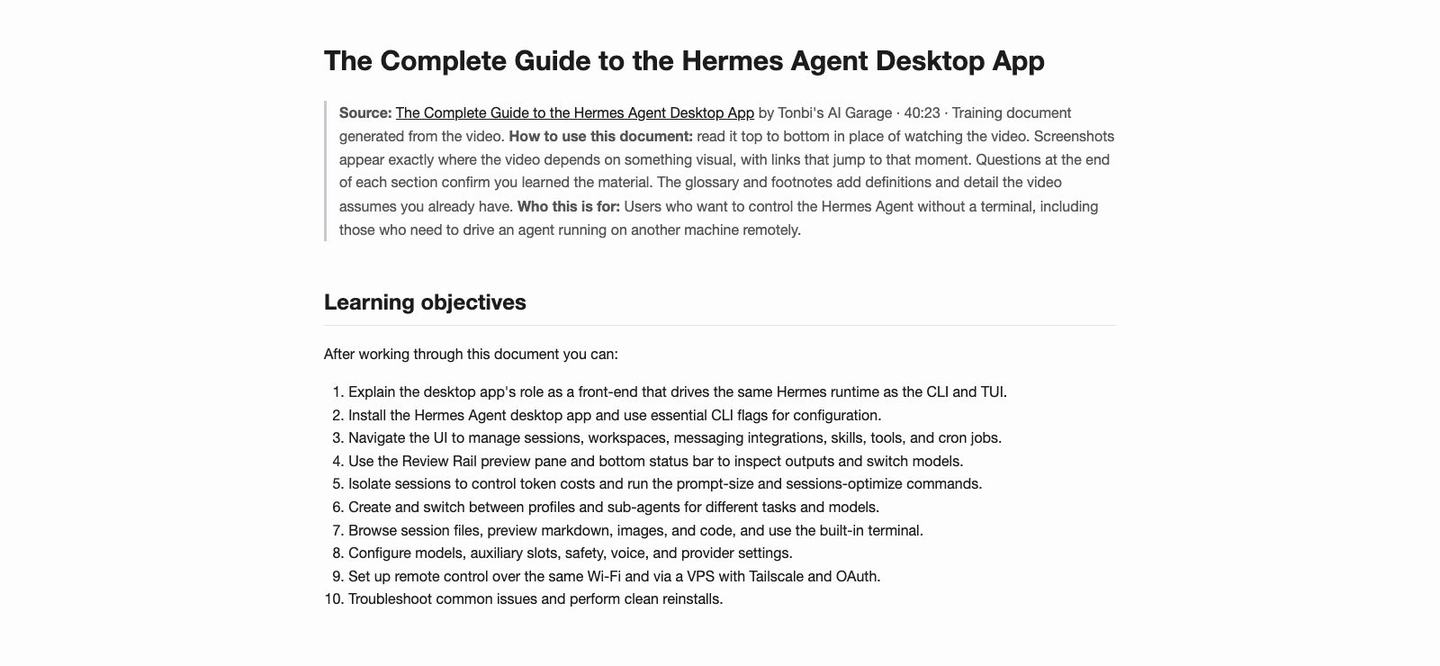
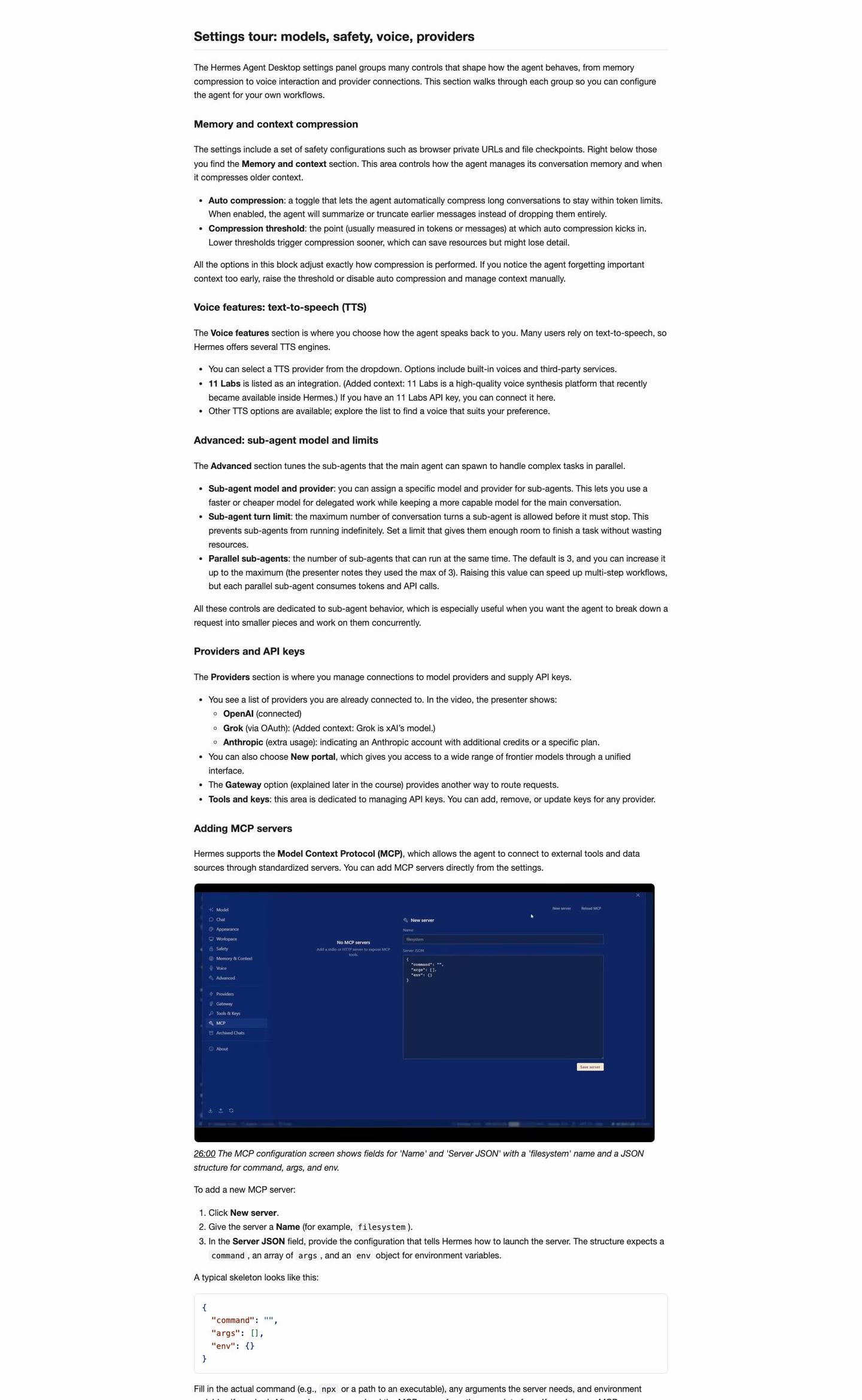
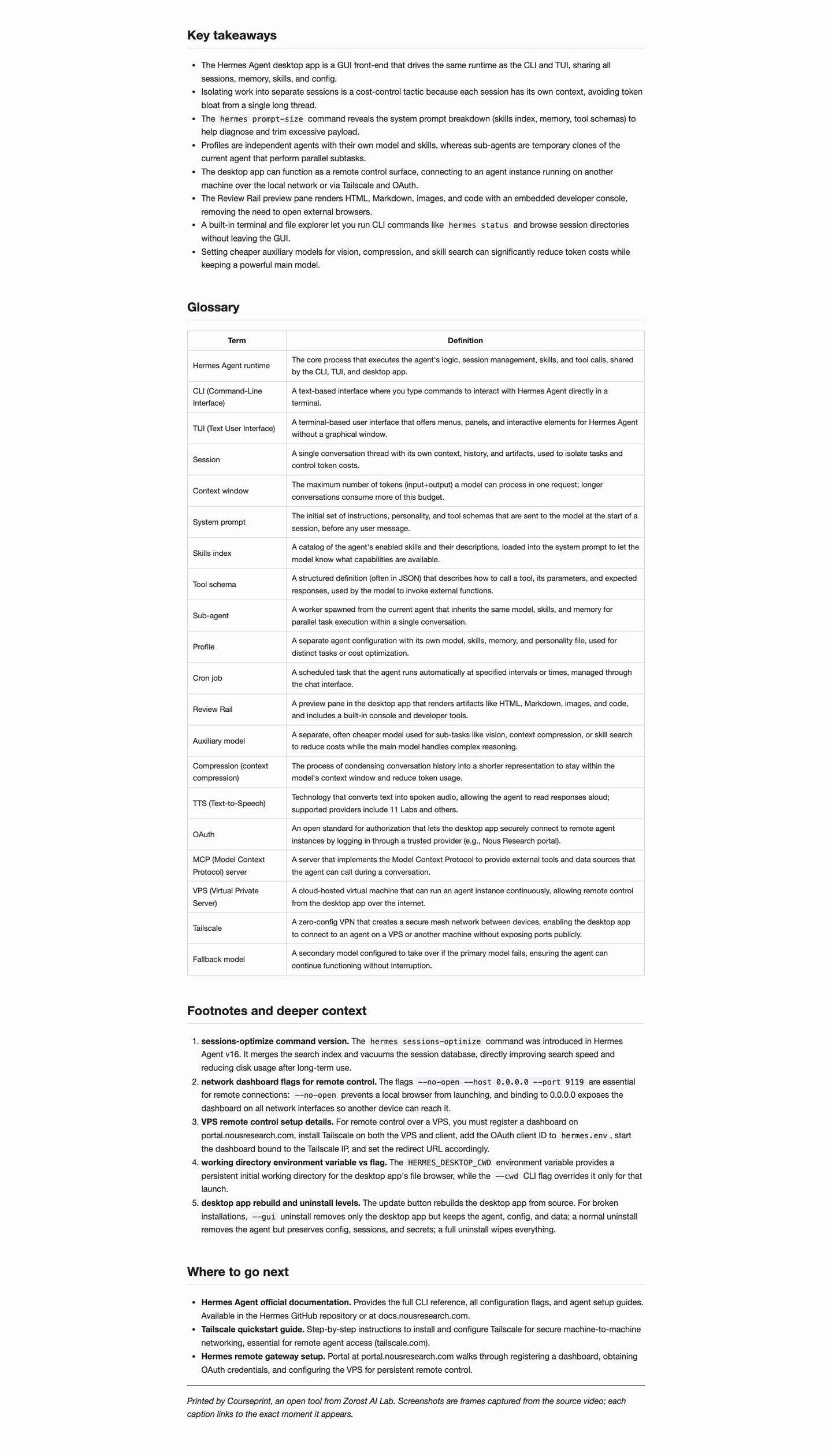
The repository ships the generated textbooks as PDF, so you can open them in a browser without installing anything. These are the same documents the pipeline printed from the source videos: chapters, captioned frames, tables, and a glossary. Rights stay with the original creators; we publish them as demonstration output.
PDF: Hermes Agent Full Course, 3 hours (35 chapters, 269 frames)→
From the Field
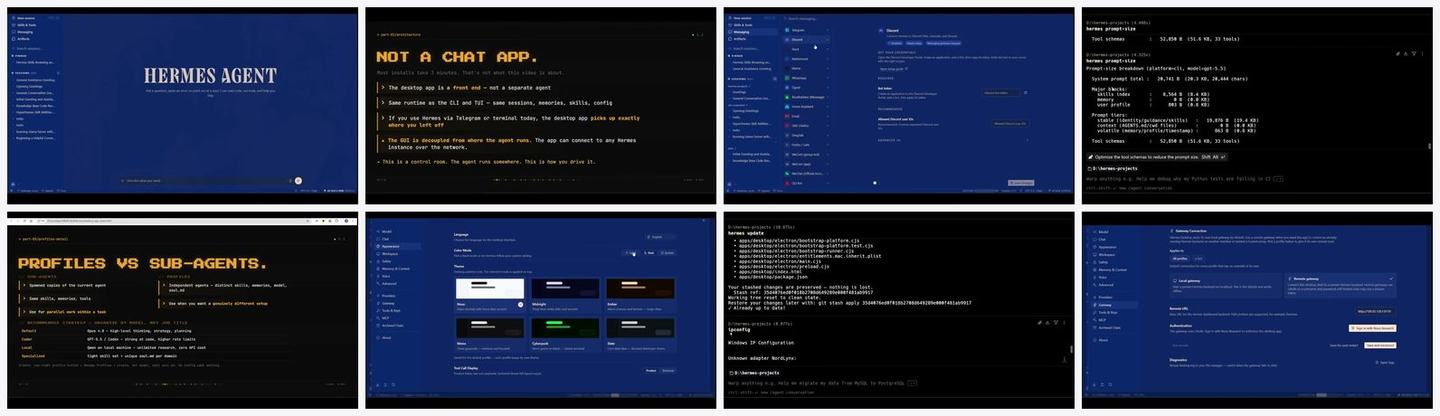
Captured from the live build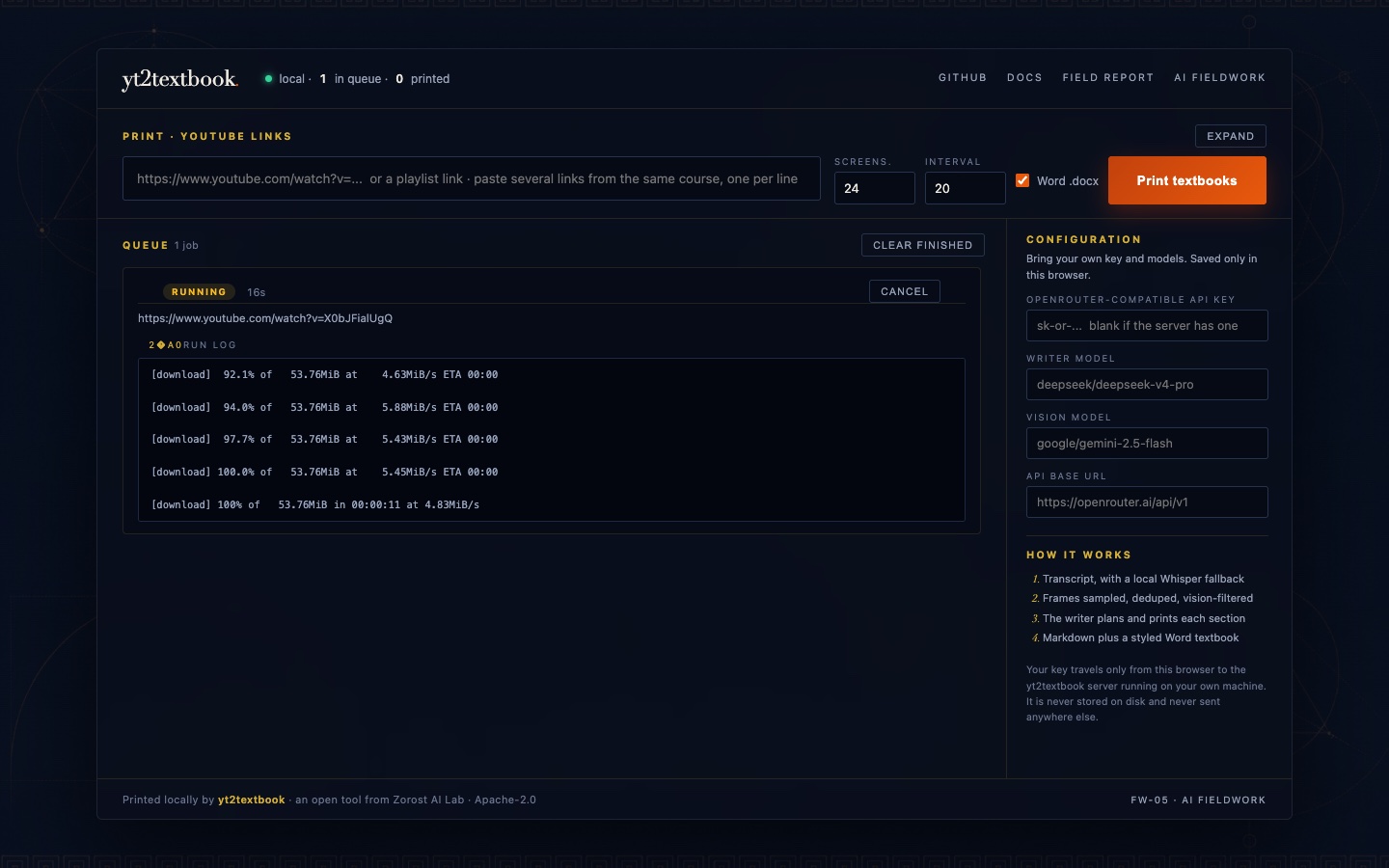
What Held, What We Flag
Wins and limits, side by side- The pipeline shipped and held across the corpus: 11 complete documents from 12 runs, with exactly one structural failure, caught and re-printed.
- Every document carries its evidence: 258 screenshots embedded across the corpus, each vision-filtered, captioned, and linked to its second in the source video.
- The package shipped whole: README with three diagrams and a recorded terminal demo, 11 Word exports, license and notices, provenance notes, and search-ready repository metadata.
- Hygiene gates held: zero em or en dashes across the published corpus after the deterministic normalizer, zero secrets in the tree at publication.
- The local web app shipped on the same pipeline: duplicate-link detection, cancel-at-checkpoint, and per-job download links, verified end to end in the browser.
- The document prose is model-generated and not independently fact-checked; a printed page reads authoritative whether or not it is.
- Frame OCR and vision classification depend on the chosen models and on video legibility; no accuracy benchmark was run.
- Transcript availability caps the tool: no captions means a local Whisper fallback at higher cost.
Measurements
Enforced on every build- Example corpus
- 11 printed course documents from 12 runs
- Embedded screenshots
- 258 across the corpus, each timestamp-linked
- Word exports
- 11 styled .docx textbooks
- Interfaces
- Terminal CLI plus a local web app with a live job queue
The video becomes a book you can search. The watching is optional.
Disclosures
What a careful reader deserves- Example documents derive from the Hermes Atlas training channel, reproduced with the channel owner's permission. Every document credits and links its source video.
- The tool calls third-party APIs with the user's own key. The repository contains no keys, and its documentation states the per-run call structure rather than invented totals.
- Distribution is local-only by design: Zorost does not host a public runner, so compute cost and content rights stay with the person running the tool.
- The tool downloads and processes third-party video content. Users are responsible for the rights of the content they print, as stated in the repository's usage terms.
- Vendors and models, including the runtime defaults DeepSeek V4 Pro and Gemini 2.5 Flash, are named as components and test subjects only. This is a dated field record, not an endorsement.
- The brand and the code are licensed separately: Apache-2.0 for the code, all rights reserved for Zorost marks, documented in the repository.
Questions, answered
yt2textbook · common questionsHow is this different from a YouTube summary app?
A summary decides what you do not need to know, then throws it away. yt2textbook keeps everything and reorganizes it for reading: full step-by-step procedures, screenshots of the code, terminals, and settings screens, on-screen text reproduced as copyable code blocks, comprehension checks, a glossary, and footnotes. A 200 word summary tells you what a 40 minute tutorial was about. This prints the document you follow to actually do the thing.
What does it cost to run?
You bring your own OpenRouter key and pay the model providers directly. With the default models, printing a 40 minute tutorial costs on the order of a few US cents, and your provider dashboard shows exact per-call spend. The cost levers, in order of impact, are a cheaper writer model, skipping screenshots with --no-frames, halving the vision calls with --max-frames 12, and trialing playlists with --limit.
Do I have to use OpenRouter?
No. The client is a plain OpenAI-compatible chat completions call. Point OPENROUTER_BASE_URL at any compatible endpoint and name the models you want. Groq, Google AI Studio Gemini, a local Ollama server, and OpenRouter free models all work. The document writer and the vision filter are each replaceable with one line of configuration.
How do I try it without paying?
Three free routes are enough for a first print. OpenRouter: create a key and set OPENROUTER_DEFAULT_MODEL to a model whose id ends in :free, or to openrouter/free. Groq: create a key at console.groq.com with no card, set the base URL to https://api.groq.com/openai/v1, and use llama-3.3-70b-versatile. Ollama: install it locally, pull a model, and point the base URL at http://127.0.0.1:11434/v1. Free hosted tiers are rate-limited, so start with --no-frames or --limit 1. A 40 minute paid run on the defaults still costs only a few cents.
What if the video has no captions?
The tool asks for captions first and falls back to local Whisper transcription when none exist, which costs more time and compute. Caption retrieval asks for English first but accepts whatever the video offers, and the writer follows the transcript's language. Whisper transcription is multilingual.
Where does my data go?
Your transcript slices and candidate frames are sent only to the models you configured, under your own account. Nothing else phones anywhere, and temporary files are deleted after each run.
Is it legal to print someone else's video?
The tool processes content you have access to, for your own use. Respect creators and do not republish generated documents from videos you do not hold rights to. The example documents bundled in the repository come from the Hermes Atlas channel with the owner's permission, recorded in the third-party notices.
A video printed as one long thin section instead of a real course. Why?
The course planner occasionally answers prose instead of structured JSON. The tool retries once automatically, and if that still fails you get a safe single-section fallback rather than a crash. Re-running the same command almost always produces the full multi-section document.
Can I trust what the document says?
Treat it as a well-organized reading of the source, not as a verified reference. The prose is model-generated from the real transcript and real frames, and it is not independently fact-checked. Every screenshot links to the second it came from, so the source is always one click away when a claim matters.
Go Deeper
Run it · read it · build on itServing those who
need to stay ahead.
We don't pitch slide decks. We show you what we've already built in your domain, then engineer what your mission requires.